Best DayZ Server Settings for Every Play Style in 2026
DayZ's flexibility is one of its best qualities. The same engine that powers tense hardcore survival can be tuned into a chill PvE playground, a non-stop PvP arena, or an immersive roleplay world. It all comes down to how you configure things. And honestly, the difference between a server people love and one they leave after ten minutes usually isn't the mods or the map. It's the settings.
I've put together five configuration profiles here covering the most popular DayZ server styles. Each one includes serverDZ.cfg values, loot economy tips, and mod suggestions. If you're running a LOW.MS DayZ server or just researching what to do with one, these should give you a solid starting point.
Tip: On a LOW.MS server most of these serverDZ.cfg values are fields on the Manage tab of the control panel: Max Players, Third Person View, Disable Crosshair, Disable Personal Light, Night Lighting, Respawn Time, Time Acceleration, Night Acceleration and Persistent Time. The control panel writes the file from them on every start. Watch out for Third Person View: it works the other way round from disable3rdPerson, so 0 there means first person only.
Profile 1: Vanilla+ (Enhanced Vanilla)
This is the most popular server type right now, and for good reason. Vanilla+ keeps the core DayZ survival loop intact but smooths out the rough edges. Players still have to work for their gear, but they're not rage-quitting because they starved to death three spawns in a row.
serverDZ.cfg Settings
maxPlayers = 60;
verifySignatures = 2;
forceSameBuild = 1;
BattlEye = 1;
disable3rdPerson = 0;
disableCrosshair = 0;
serverTimeAcceleration = 8;
serverNightTimeAcceleration = 4;
serverTimePersistent = 1;
disablePersonalLight = 1;
lightingConfig = 0;
guaranteedUpdates = 1;
Loot Economy Adjustments
You want loot to feel slightly more generous than default without making it rain military gear on the coast.
Bump food and drink nominal values up by about 25-30%. This takes the edge off the coastal starvation loop without removing the survival element entirely. Increase vehicle nominal from the default (3-6) to something like 8-12 per type so people can actually find wheels. Keep military weapon spawns at default or nudge them down a touch. Finding a good rifle should still feel like an event. Building materials can go up by around 50% to encourage base building.
Recommended Mods
- Community Framework (CF): required dependency for most mods
- VPP Map: in-game map with your position marked
- Code Lock: combination locks for base doors, much better than vanilla keys
- Ear Plugs: a keybind toggle that lets players reduce ambient noise volume (rain, wind, nearby gunfire). Simple but people love it
Profile 2: Hardcore First-Person PvP
This one's for the masochists. Every encounter is potentially your last, loot is genuinely scarce, and the nights will make you reconsider your life choices. I think this is DayZ at its most intense, though it's not for everyone.
serverDZ.cfg Settings
maxPlayers = 60;
verifySignatures = 2;
forceSameBuild = 1;
BattlEye = 1;
disable3rdPerson = 1;
disableCrosshair = 1;
serverTimeAcceleration = 6;
serverNightTimeAcceleration = 1;
serverTimePersistent = 1;
disablePersonalLight = 1;
lightingConfig = 1;
guaranteedUpdates = 1;
respawnTime = 30;
Setting disable3rdPerson = 1 forces first-person only, which eliminates third-person peeking around corners. Combined with disableCrosshair = 1, firefights become genuinely nerve-wracking. The slow night acceleration (serverNightTimeAcceleration = 1) means nights last almost as long as they would in real time. You'll need a light source, and using one makes you a target.
Loot Economy Adjustments
Scarcity is the whole point here.
Cut all weapon nominal values by 30-50%. Military weapons should be genuinely hard to find. Ammunition drops by 40% too, so every bullet matters. Food stays at default or a bit below so starvation is a real concern. Medical supplies drop by 20%, making bandages and blood bags worth fighting over. For rare weapons, set count_in_player = 1 and count_in_hoarder = 1 so that carried and stashed items count toward the global limit.
Recommended Mods
Hardcore servers usually run lean. The whole point is purity. CF is basically mandatory as a framework dependency. Beyond that, most hardcore communities prefer to keep it vanilla.
globals.xml Adjustments
<var name="ZombieMaxCount" type="0" value="1200"/>
<var name="AnimalMaxCount" type="0" value="250"/>
More zombies make the world more dangerous. More animals give you a reason to hunt.
Profile 3: PvE with Traders
The second most popular server type, and it attracts a different crowd entirely. PvE trader servers focus on survival, base building, and economy rather than shooting each other. They tend to have a more relaxed, social atmosphere. If you want the DayZ world without the constant threat of getting sniped, this is the one.
serverDZ.cfg Settings
maxPlayers = 60;
verifySignatures = 2;
forceSameBuild = 1;
BattlEye = 1;
disable3rdPerson = 0;
disableCrosshair = 0;
serverTimeAcceleration = 12;
serverNightTimeAcceleration = 8;
serverTimePersistent = 1;
disablePersonalLight = 0;
lightingConfig = 0;
guaranteedUpdates = 1;
Faster time acceleration (12x day, 8x night) keeps the cycle moving so nights don't drag on. Personal lights stay on because there's no tactical reason to hide in the dark on a PvE server.
Loot Economy Adjustments
PvE servers should be generous. The fun comes from collecting, building, and trading, not from starving.
Increase all nominal values by 50-100%. Building material spawns should go up significantly since base building is the main activity. Vehicle spawns can sit around 15-20 per type. Set longer item lifetimes too, since PvE players tend to explore at a slower pace.
Recommended Mods
PvE trader servers tend to run the most mods. Here's a solid foundation:
- Community Framework (CF)
- DayZ Expansion (Core, Vehicles, Market, Base Building, AI, Missions, Navigation): the full suite adds helicopters, boats, NPC traders, banking, AI patrols, and dynamic missions
- BaseBuildingPlus: expanded construction beyond what Expansion offers
- Code Lock: combination locks for doors
- VPP Map: in-game map with position marker
- DayZ-Dog: tameable companion dogs, popular on PvE servers
- CannabisPlus: extended farming and agriculture
- Airdrop-Upgraded: random supply drops that give players something to chase
globals.xml Adjustments
<var name="ZombieMaxCount" type="0" value="800"/>
<var name="AnimalMaxCount" type="0" value="300"/>
<var name="FlagRefreshFrequency" type="0" value="604800"/>
<var name="FlagRefreshMaxDuration" type="0" value="5184000"/>
Fewer zombies reduces frustration on PvE. More animals for hunting. The flag refresh settings give you a 7-day refresh cycle with a 60-day maximum, so bases stick around for players who can't log in every single day.
Profile 4: Roleplay (RP)
Roleplay servers are their own world. Strict engagement rules, character backstories, faction politics. You can't just shoot someone on sight. RP attracts a dedicated crowd, and the best RP servers are some of the most memorable gaming experiences you can have.
serverDZ.cfg Settings
maxPlayers = 80;
verifySignatures = 2;
forceSameBuild = 1;
BattlEye = 1;
disable3rdPerson = 0;
disableCrosshair = 0;
serverTimeAcceleration = 4;
serverNightTimeAcceleration = 2;
serverTimePersistent = 1;
disablePersonalLight = 1;
lightingConfig = 0;
guaranteedUpdates = 1;
Slower time acceleration (4x) makes the day/night cycle feel more meaningful for storylines. Eighty slots gives you enough players for multiple active factions without overcrowding.
Loot Economy Adjustments
RP servers balance between scarcity (to drive player interaction and trade) and abundance (to avoid tedious grinding).
Keep weapons at default or slightly above. Most players should have something, but high-end gear should still be worth bargaining for. Increase food and medical supplies by around 30% so nobody dies of starvation in the middle of a tense negotiation scene. Civilian clothing variety should go up for visual diversity. Building materials need a big increase so people can construct their settlements and shops.
Recommended Mods
Start with everything from the PvE profile, then add:
- Morty's Weapons: more weapon variety helps with faction differentiation
- Notes: leave written notes for other players, great for RP
- Leaderboard: optional, but some RP communities like tracking stats
Key RP Server Tips
Slower time acceleration (4x) makes day/night more impactful for storylines. Set up multiple trader locations at different map positions to encourage travel and give factions territory to control. Use whitelisting (enableWhitelist = 1) and require applications before joining. This filters out people who won't follow RP rules. Most RP communities run their application process through Discord.
Profile 5: Deathmatch / High-Action PvP
For people who want non-stop shooting. These servers flood the map with military gear, crank up the player count, and let chaos reign. Not much survival, but a lot of fun if you're in the mood.
serverDZ.cfg Settings
maxPlayers = 90;
verifySignatures = 2;
forceSameBuild = 1;
BattlEye = 1;
disable3rdPerson = 0;
disableCrosshair = 0;
serverTimeAcceleration = 24;
serverNightTimeAcceleration = 12;
serverTimePersistent = 0;
disablePersonalLight = 0;
lightingConfig = 0;
guaranteedUpdates = 1;
respawnTime = 0;
Fast time acceleration (24x) keeps it mostly daylight. Instant respawns (respawnTime = 0) get players back into the action immediately. Ninety slots packs the map.
Loot Economy Adjustments
Flood it. This isn't about survival, it's about combat.
Increase all weapon nominal values by 200-300%. Ammunition by 300-400%. Medical supplies by 200%. Food should be everywhere since nobody should die to hunger on a deathmatch server. You can also restrict loot spawns to military areas and high-value locations to funnel players into the same areas and force fights.
Recommended Mods
- Community Framework (CF)
- DayZ Expansion (Vehicles module especially): helicopters and extra vehicles make for chaotic fun
- KillFeed: global kill notifications so everyone sees who's winning
- Leaderboard: kill/death tracking, competitive stats
- Airdrop-Upgraded: contested supply drops that pull players together
Settings for a Nasdara (Badlands) server
Nasdara doesn't fit neatly into any of the five profiles above. It's 267 km², the biggest map Bohemia has built for DayZ, water is scarce, and two of its new threats (heat and sandstorms) are tuned in mission files rather than in serverDZ.cfg. If the server isn't on Nasdara yet, our Nasdara map guide covers the Mission field and what happens to your old world.
How many player slots for Nasdara?
One launch-week Reddit thread argued that 60 is too low for a map this size and asked for 65 to 70. I'd still start at 60. It's the maxPlayers value in the sample serverDZ.cfg Bohemia ships with the server, and it's what Max Players starts at on our servers when your plan has room for it. Sixty people on a brand-new 267 km² map is already thin, and a half-empty server where the only place anyone meets is the nearest working well gets old fast.
Once it's filling most evenings and you've started seeing a login queue, go up to 65 or 70. Max Players goes as high as the slots you ordered and no higher, so order for where you want to end up and keep the field lower while the community grows. Past 70 I'd want a reason, like a weekend event, rather than doing it because the map is big.
Can you turn sandstorms and heat down?
Yes, but not from the Manage tab. Both are in cfggameplay.json in the Nasdara mission folder, which on our servers is config/mpmissions/dayzOffline.nasdara/ on the Files tab (it appears once the server has started on Nasdara). Bohemia's 1.30 patch notes also say "cfgGameplay is now on, by default", so older guides telling you to add enableCfgGameplayFile = 1; to serverDZ.cfg are out of date. If an old setup left enableCfgGameplayFile = 0; in there, take that line out.
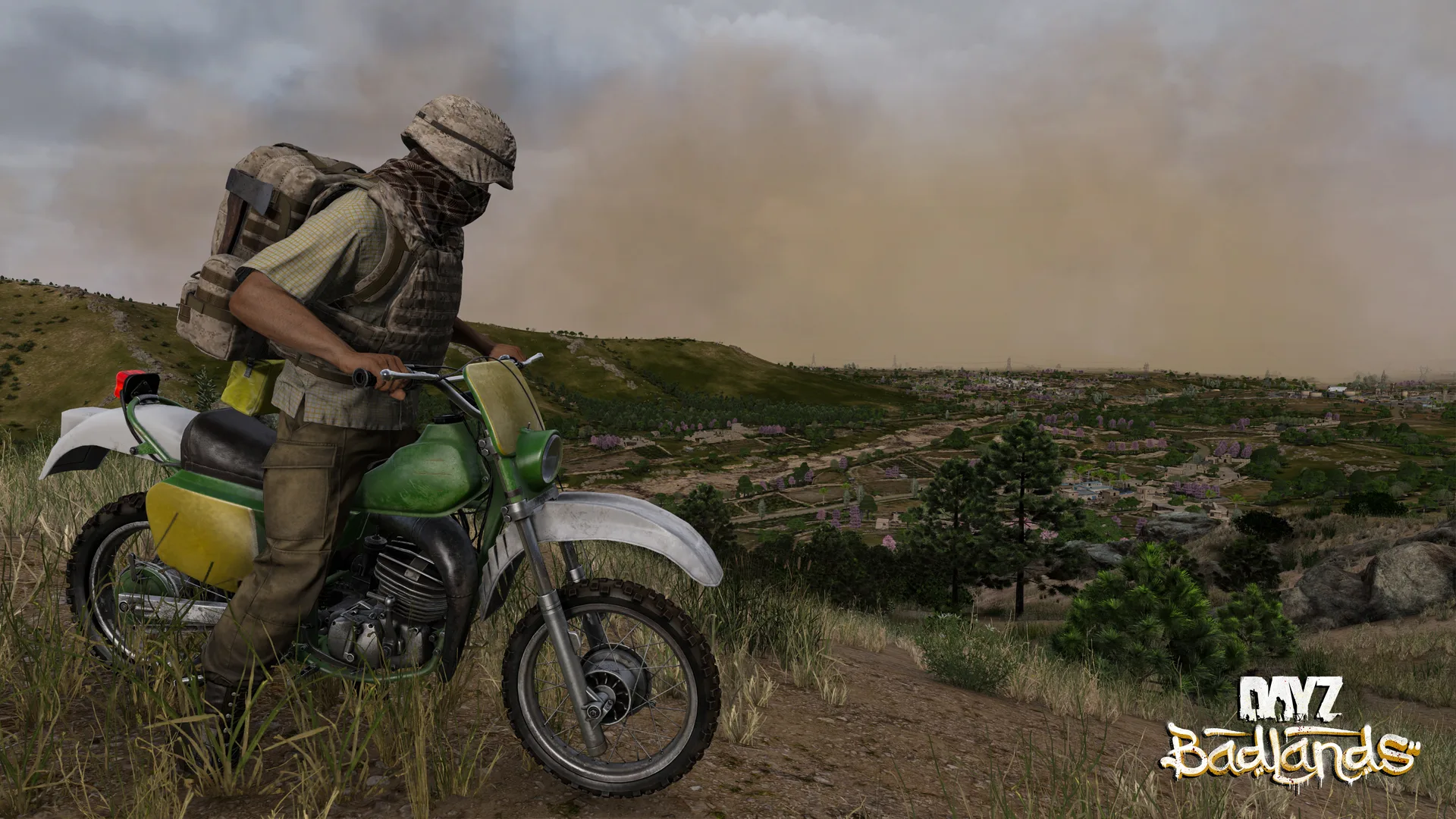
- Sandstorms. Right at the bottom of the file is
"SandstormData": { "sandstormFrequency": 1.0 }, the only sandstorm setting Bohemia ships. Their own 1.30 scripts spell out what it does: 0 switches sandstorms off completely, 0.5 makes them half as likely, 2 makes them twice as likely. It multiplies an 8% chance that Nasdara's weather rolls for a sandstorm, so 0.5 already makes them noticeably rarer. Don't go looking incfgweather.xml: it has no sandstorm entry, and Nasdara's copy ships switched off (enable="0"). - Heat.
environmentMinTempsandenvironmentMaxTempsunderWorldsDatahold twelve values each, one per month, and Nasdara's highs run from 17.4 in January up to 38.4 in July. Itsinit.cputs the in-game date back to 30 April at every start unless it's already between 30 April and 30 May. The game blends each month's temperature towards the next as the month goes on, so late May already reads close to June. That makes the fifth and sixth values (May and June, 29.4 and 34.4 for the highs) the ones to change. Keep exactly twelve numbers in each list, because any other count and the game ignores your edit and falls back to its built-in temperatures. Bohemia hasn't said how heatstroke weighs air temperature against everything else, so treat lowering them as an experiment rather than a guaranteed fix.
Take a backup first, change one thing at a time, and check the file is still valid JSON before you restart. A missing comma is the usual culprit.
Adding Badlands weapons and items to Chernarus, Livonia or Sakhal
This one's easier than people expect. The 1.30 types.xml for Chernarus, Livonia and Sakhal already has entries for the new gear: LeeEnfield, P1907_Bayonet, Luger, MP18, Jambiya, DustGoggles_Black, every Keffiyeh_ colour and more. They're all set to nominal 0 and min 0, which is why they never turn up. On Nasdara the same entries spawn (the Lee-Enfield at nominal 30 and min 25, the Luger at 55 and 50, the MP-18 at 35 and 30).
types.xml is over 1 MB, which is too big for the editor on the Files tab: it only loads the start of a file that size, and saving from it would cut the rest off. Edit it on your own PC instead.
- Take a backup on the Backups tab.
- On the Files tab, go to the map's
dbfolder (for Chernarus,config/mpmissions/dayzOffline.chernarusplus/db/) and Downloadtypes.xml. SFTP works too, with the details on the Overview tab. - Open it in a proper text editor such as Notepad++ or VS Code, find the item's
<type name="...">entry and raisenominalandmin. - Do the same for its magazine:
Mag_LeeEnfield_10Rnd,Mag_Luger_8RndorMag_MP18_Drum32Rnd. They're at 0 as well. - Upload the file back to the same folder, then restart the server.
The catch: the server copies Bohemia's mission into config/mpmissions on the first start on that map and leaves it alone after that. If your server first started before 1.30, its types.xml is the old one and may not have these entries at all. Download the 1.30 copy from game/mpmissions/dayzOffline.chernarusplus/db/types.xml (or the folder for your map), which the update refreshed, and copy the whole <type> block across rather than typing one out, because one wrong letter in a class name and the item simply won't appear. Also worth knowing: Chernarus only tags the Lee-Enfield for hunting spots, while Nasdara adds farms, towns and villages, so copy those usage lines too if you want it in towns.
I haven't checked whether a player without the Badlands DLC can pick these up on another map. Bohemia's patch notes list them under the Badlands expansion, so test with a non-DLC account before you announce it to your community.
The digital code lock isn't Nasdara-only
Bohemia confirmed before launch that the code lock would be "available on all other maps", and the 1.30 economy spawns DigitalCodeLock on Chernarus (nominal 30, in industrial and farm loot) and Livonia (nominal 35). Sakhal is the odd one out: its 1.30 types.xml has the lock at 0, so nobody finds one there unless you raise it, the same way as the weapons above. Want more or fewer of them on the other maps? Same entry.
Universal Performance Tips
These apply regardless of what style you're running.
Restart every 4-6 hours. DayZ servers accumulate memory over time. Regular restarts keep things smooth. You can automate this with Add schedule on the Settings tab in your control panel.
Watch your RAM. If you're consistently over 80% usage, it's time to upgrade. Check our DayZ hosting page for upgrade options.
NVMe storage matters. DayZ's persistence system hammers the disk. NVMe SSDs make a real difference compared to older storage.
Keep mods updated. Outdated mods are the number one cause of crashes and weird behaviour. After every game update, check your mods.
Back up before you tinker. Always back up your types.xml and serverDZ.cfg before making changes. Press Create backup on the Backups tab first, and you can download a copy from there too.
Getting Your Server Set Up
Ready to build your ideal DayZ experience? Order your server from LOW.MS and use these profiles as your starting point. For step-by-step setup help, check our DayZ Getting Started Guide and DayZ Server Configuration Guide.
If you need help tweaking your settings, open a ticket from the control panel and we'll help.