BepInEx (Thunderstore)
Search Thunderstore from the Mods tab and install in one click. BepInEx and each mod's dependencies are installed with it.
Visit BepInEx (Thunderstore)Your world stays online when your PC is off. No port forwarding and no machine left running: friends join whenever they like, Thunderstore mods install in one click and backups run on a schedule. Live in about five minutes, with a full refund in the first 5 days.
$10.99/mo
$1.10 per slot (10)
VALHEIM30Below are a few reasons why LOW.MS is the ideal place to host your game server.
Steam, Xbox, PlayStation and Switch 2 players can share one world. Tick Crossplay in the panel and console players join with the six-digit code shown on your Overview tab.
Valheim left early access on 9 September 2026. Press Update in the panel, or schedule it, to pull each new build and hotfix as soon as Iron Gate ship it, so you are not sat waiting on us to get round to it.
Search Thunderstore from the Mods tab and install with one click, with BepInEx and every dependency handled for you. Anything not in the list goes in by pasting its Thunderstore link.
Upload your world folder through the Files tab, point the server at it, and carry on where you left off. An older .db and .fwl pair works too, and converts itself on first load. Nobody has to start again.
The Backups tab writes a copy off the server in one click, and a scheduled Backup task turns that into a nightly job. Worth setting up on day one rather than the day you need it.
Tickets reach people who actually run Valheim servers, at any hour. You will not spend your evening explaining what BepInEx is.
Every Valheim server gets a live map read straight from its world save. See how far your group has explored, who built what and where each portal leads, without anyone logging in.
Bases and portals, labelled
Each base is drawn from above with its builder's name, and every portal shows its tag.
Keeps up as you play
The map refreshes from the save while the server runs, so new builds appear on their own.
Share it with your group
Send a read-only link, and friends can explore the map in their browser without a panel account.
14 bases, 9 portals
Share RefreshWorld Preset
Standard: classic ValheimCombat Difficulty
Use presetVery easyEasyHardVery hardDeath Penalty
Use presetCasual (keep everything)Very easyEasyHardHardcore (no tombstone)Resource Drops
Use presetMuch lessLessMoreMuch moreMostRaids
Use presetNoneMuch lessLessMoreMuch morePortals
Use presetCasual (carry anything)Hard (no metals)Very hard (no portals)Pick a preset, then adjust combat, death penalty, resources, raids and portals with a click. The panel writes Valheim's launch settings for you and applies them on the next restart.
Presets and modifiers
Start from one of Valheim's presets and override any single modifier on top of it.
World rules
Switch on no build cost, passive mobs, player events, fire hazards or no map for the whole server.
Custom modifiers
Fine-tune enemy damage, skill gain and loss, resource rates and more, beyond what the presets offer.
The join card puts the address and password in one place. Admins, bans and the whitelist are one click each, by Steam account.
One address to share
Copy the address and password from the panel, then paste them into Join IP in Valheim.
Admins, bans and whitelist
Make a friend an admin, ban a griefer or lock the server to a whitelist without editing a text file.
Add players by SteamID64
Add someone before they have ever joined. Changes apply the next time the server starts.
Join your server
Server address
demo.join.low.ms:2456
In Valheim, choose Start Game, then Join Game, then Join IP, and enter this address.
Password
••••••••
Players are asked for this when they connect.
Search Thunderstore from the Mods tab and install in one click. BepInEx and each mod's dependencies are installed with it.
Visit BepInEx (Thunderstore)Install mods in one click from your panel's built-in browser, or upload your own files via SFTP. Full access either way.
Your Valheim worlds, settings and mod configuration are backed up to the cloud automatically. Keep up to 20 backups per server and lock the ones that matter so they are never cleared to make room.
From the Backups tab in the LOW.MS control panel you can restore any backup in one click, download a copy to your PC, or take a manual backup before a big change.
Backups include your worlds and mod settings. Locked ones are never deleted to make room.
| Created | Size | Status | Locked | |
|---|---|---|---|---|
| 17/08/2026, 15:19 | 3.6 MB | Completed | DownloadRestoreDelete | |
| 17/08/2026, 15:14 | 3.6 MB | Completed | DownloadRestoreDelete | |
| 14/08/2026, 00:12 | 3.6 MB | Completed | DownloadRestoreDelete | |
| 11/08/2026, 23:33 | 1.3 MB | Completed | DownloadRestoreDelete |
What people say after they have moved a server to us.
Read our reviews on TrustpilotOut of all hosting providers. This is by far the top choice in my list. Simple UI with a mod manager included making it hassle-free when downloading specific mods.
Jose, Trustpilot review
I opened a ticket for help migrating my server from a different host. The game is Palworld and it isn't a simple process, they did it for me! Very helpful and responsive.
Justin, Trustpilot review
Their prices are pretty cheap and I thought they'd cut back on performance but damn was I wrong. The service has been insanely reliable and the Support Team are on their own level!
Anti, Trustpilot review
We support every public Valheim Steam branch out of the box, including the private password-protected ones. Switch from your control panel any time.
Last stable build before 1.0
Low latency wherever your players are
Pick the location closest to your Valheim players. If you are not sure which one to choose, contact support.
Every location has DDoS protection that can absorb attacks of up to 100 Gbps.
If there is a location you would like us to add, let us know. The right location also lists your server under the right region in the in-game server browser.
Our DatacentersEurope
North America
Asia & Oceania
Find answers to common questions about Valheim server hosting.
Your server will be ready within minutes
Enterprise-grade protection included
Expert help whenever you need it
Starting from
Cancel anytime. No minimum term. Full refund within 5 days.
Valheim is a viking survival game which can be played solo, or with a group. Players work together to gather resources, build structures, and defeat enemies and bosses. The game also has a strong focus on exploration and discovery (including by boat), which makes it more enjoyable to play with others as you can share in the excitement of discovering new areas and secrets together. Many of the LOW.MS team are big fans of the game, and often re-visit the game when major updates (such as Mistlands, and now the Deep North in 1.0) are released. We have been providing Valheim hosting since day one. The Backups tab writes a copy of your world off the server, and a scheduled Backup task does it on whatever schedule you set, so a bad update or a corrupted save is an inconvenience rather than the end of a run you have put months into.


We are confident that you'll be happy with our service. If on the rare occasion there is a problem with your service, we will do our absolute best to get things working for you, or you can simply ask for your money back.
We have a full 5 day money-back guarantee on all our game server hosting. No questions asked.
A selection of hosting guides and articles, hand-written by our own support team
Connect FileZilla or WinSCP to your LOW.MS server on port 2022 with the SFTP login from your control panel, find your files, and fix the usual connection and upload problems.
A comprehensive guide to configuring your Valheim dedicated server, including world modifiers, admin commands, server launch parameters, and permission management.
Fixes for the common Valheim dedicated server problems since 1.0: can't connect and version mismatch, lag and long loads, world not saving or reset, mods not loading, crossplay join issues.
A version bump the size of 1.0 breaks essentially every BepInEx mod until authors catch up. How to tell a broken mod from a broken server, get back online first, and reintroduce mods without guessing.
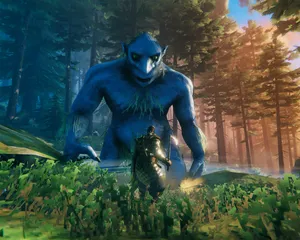
Valheim 1.0 is out and the 1.0.12 hotfix followed two days later. The order to update in: back up first, update through Steam Update (a restart won't do it), what the new world folders mean, what crossplay changes, and what to check when players can't connect.

Whether a Valheim mod runs on the server, on each player's PC, or on both decides who can join and who gets kicked. How to tell the three apart, why console players changed the maths at 1.0, and how to install each kind on a LOW.MS server.
Doable, but the gap between 'it boots' and 'your crew can actually log in' is where most home setups fall over. Here's what self-hosting Valheim signs you up for, and what we handle if you'd rather skip it.
A few hours to set up, then ongoing upkeep.
On a Windows box you control (a spare desktop is fine, until your friends discover building), install SteamCMD and run steamcmd +force_install_dir C:\valheimds +login anonymous +app_update 896660 validate +quit. Vanilla Valheim doesn't need a monster machine, but it does want steady CPU time and enough RAM headroom that Windows Update isn't fighting your longship for resources.
$ steamcmd +login anonymous +app_update 896660 validate +quitForward UDP 2456-2457 on your router to the server's LAN IP, then allow the same ports through Windows Firewall. This is where most home setups fall over, because CGNAT, guest Wi-Fi and "helpful" ISP routers all love pretending port forwarding is optional.
Copy start_headless_server.bat before you touch it, because SteamCMD's validate step puts the original back, then set your server name, world name, password and port in the copy. Access control lives in adminlist.txt, bannedlist.txt and permittedlist.txt in Valheim's save folder, one player ID per line, and you restart the server whenever you change them.
Run your batch file and watch the console until it logs Game server connected, then join from Valheim's in-game browser by searching your server name, or add it directly as IP:2456. Add -crossplay to the launch line for console friends, and be ready for the "why did the join code change" conversation after every restart, plus the home-internet caveat that your upload speed is now the whole party's bottleneck.
A dedicated server is only dedicated if the PC stays on, sleep is disabled, and reboots happen on your schedule rather than Windows'. Patch days like 1.0 and its hotfixes mean re-running SteamCMD, confirming the world still loads, and hoping nothing broke your save, because Valheim's own rolling backups sit on the same disk and are not a copy off the machine.
When BepInEx mods from Thunderstore start throwing errors after a game update, it's you reading logs, bisecting plugins, and explaining to console friends why client-side mods shut them out. And when someone can't see the server, you're debugging NAT hairpinning, port conflicts and "it worked yesterday" like it's your second job, because it is now.
Order at the top of this page and we take care of all six steps.
Pricing visible up front. No signup wall.
If you'd rather try it yourself first, our Valheim guides above walk through the SteamCMD setup. We'll be here if you migrate later.
Start, stop and manage your Valheim server from your browser. Your control panel puts server settings, files, SFTP and backups within reach.
Nexus is now available for supported games, with built-in tools for everyday server management. Existing servers may still use TCAdmin; our support team can help you find the right panel for your server.
More infoJoin our Discord to chat with our staff and community!
Join Discord