Silica leaves Early Access on 3 November. The date was confirmed in Devblog #07 on 16 October, and the 1.0 build brings the voiced Centauri story campaign, 1 vs 1 matchmaking and Steam Workshop support for sandbox scenarios. Nothing in the announcement needs a config change, so on the day you update and check.
What's in Silica 1.0
The 1.0 mode list is Strategy, COOP Strategy, Campaign and 1 vs 1 matchmaking.
The Centauri campaign
Centauri players get a voiced story campaign, "playable right from the main menu", which project lead Martin Melichárek calls "a story-driven trip to the desert world". The studio lists what it includes:
- A fully voiced intro opens the campaign, and mission briefings and in-mission dialogue are voiced too.
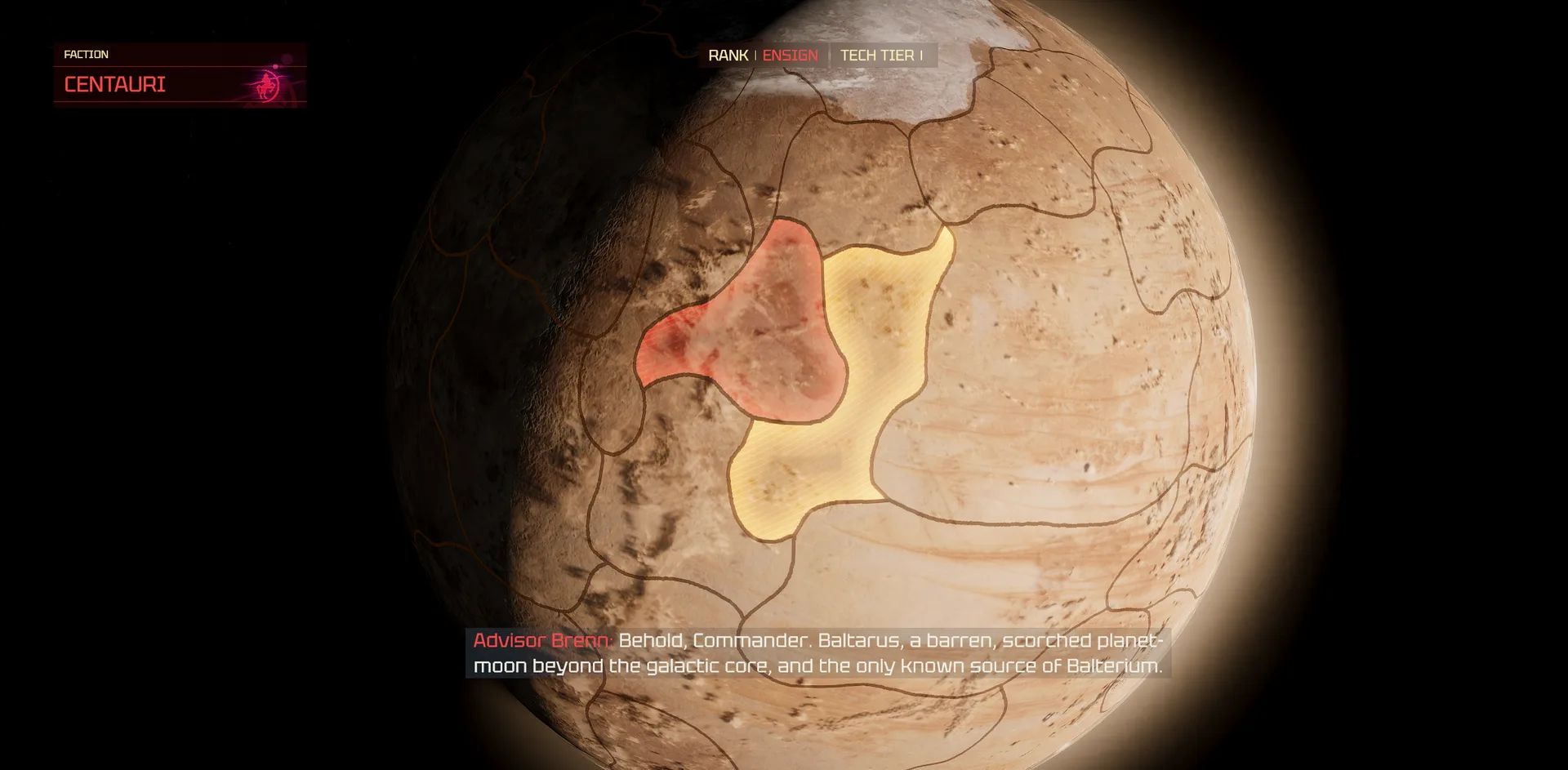
- Between missions you follow the war on a 3D globe (pictured at the top) and "watch territory change hands as you advance".
- Saves work anywhere, even mid-mission, each with a picture preview. Checkpoints also save automatically as you play.
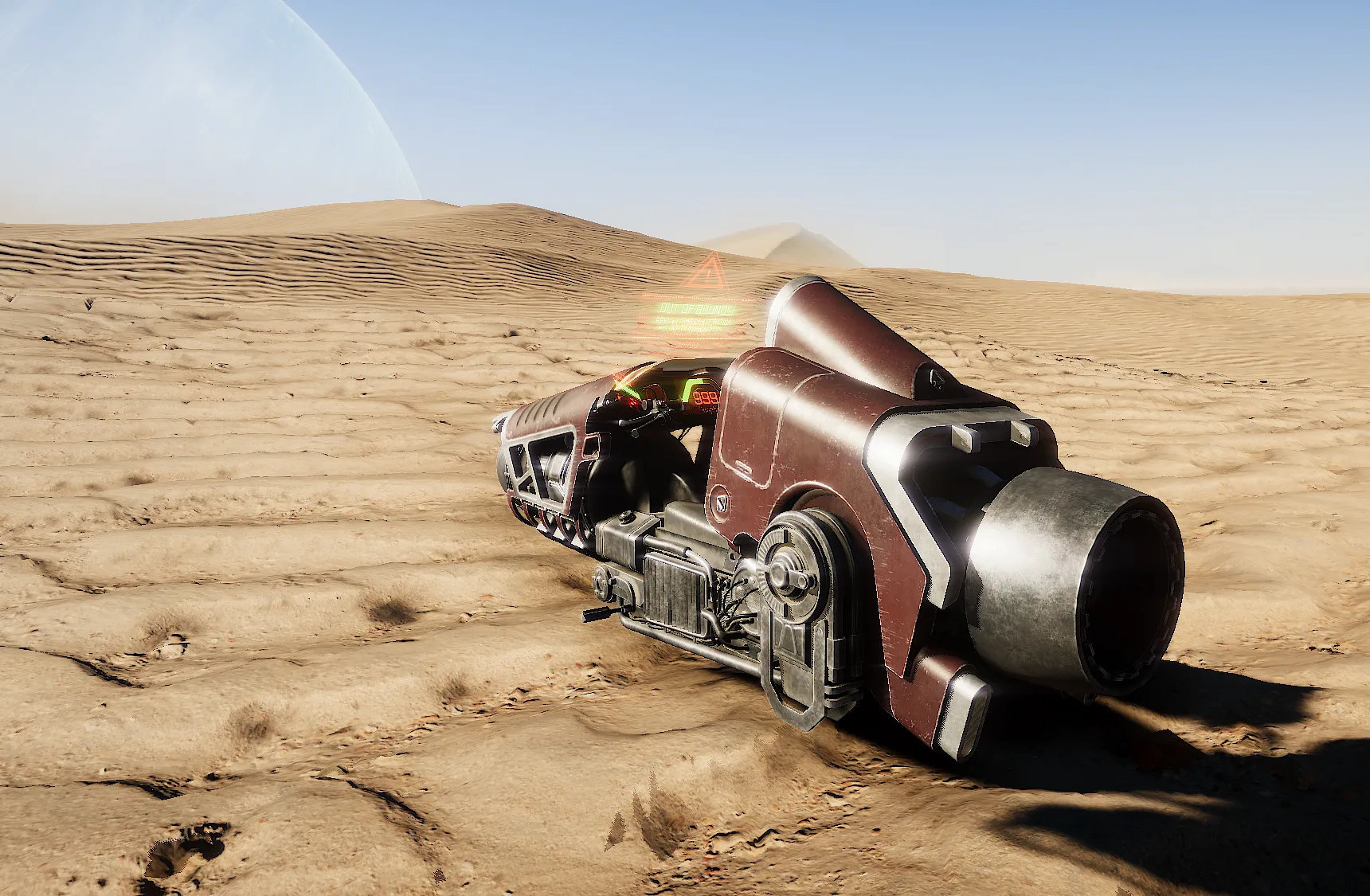
- One new vehicle: the Centauri Jet Bike, pictured above.
1 vs 1 matchmaking
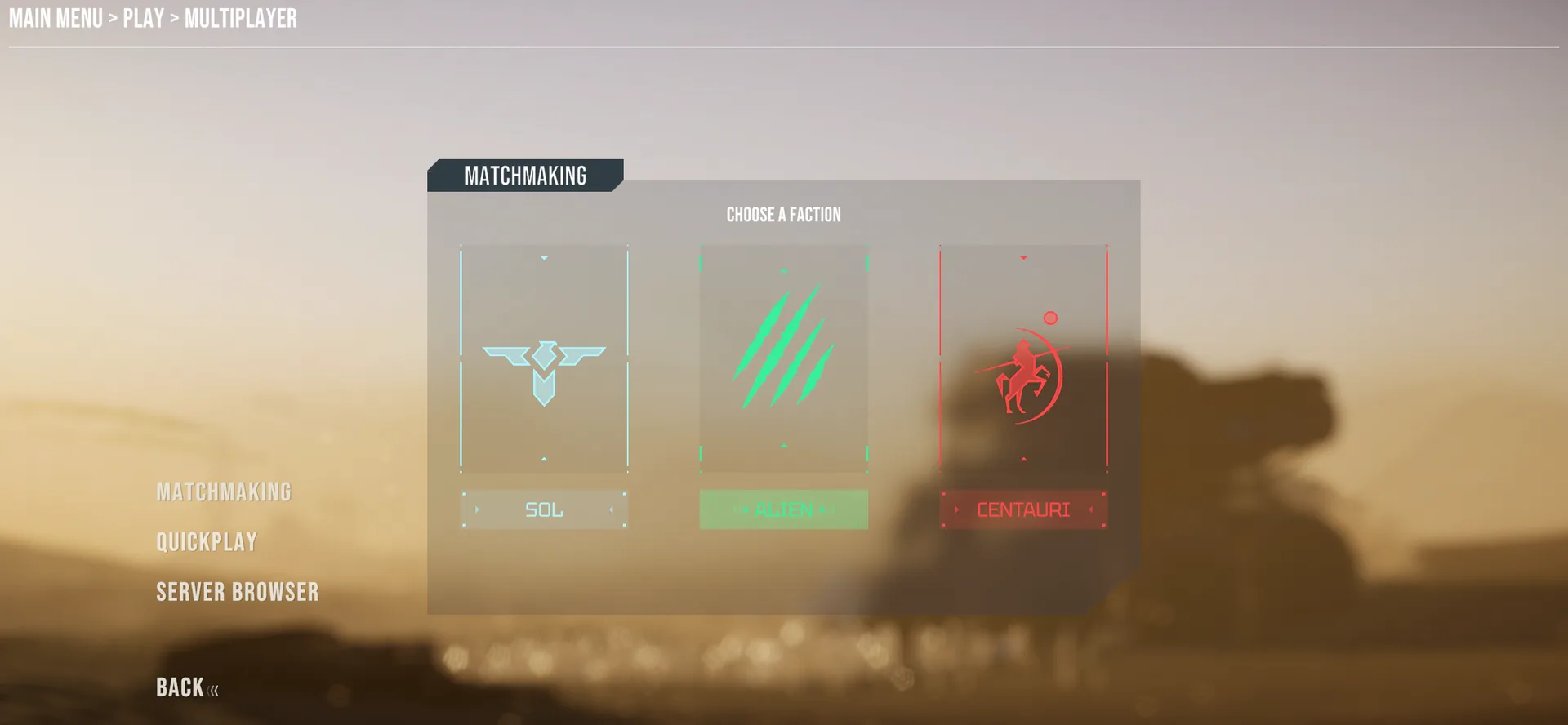
Matchmaking lets you "jump into an online 1 vs 1 match quickly, without browsing the server list". You pick a faction and ban the maps you don't want, and the 1.0 mode list notes you "can play against the same faction". In the studio's screenshot, Matchmaking sits alongside Quickplay and the Server Browser in the multiplayer menu.
Steam Workshop for sandbox scenarios
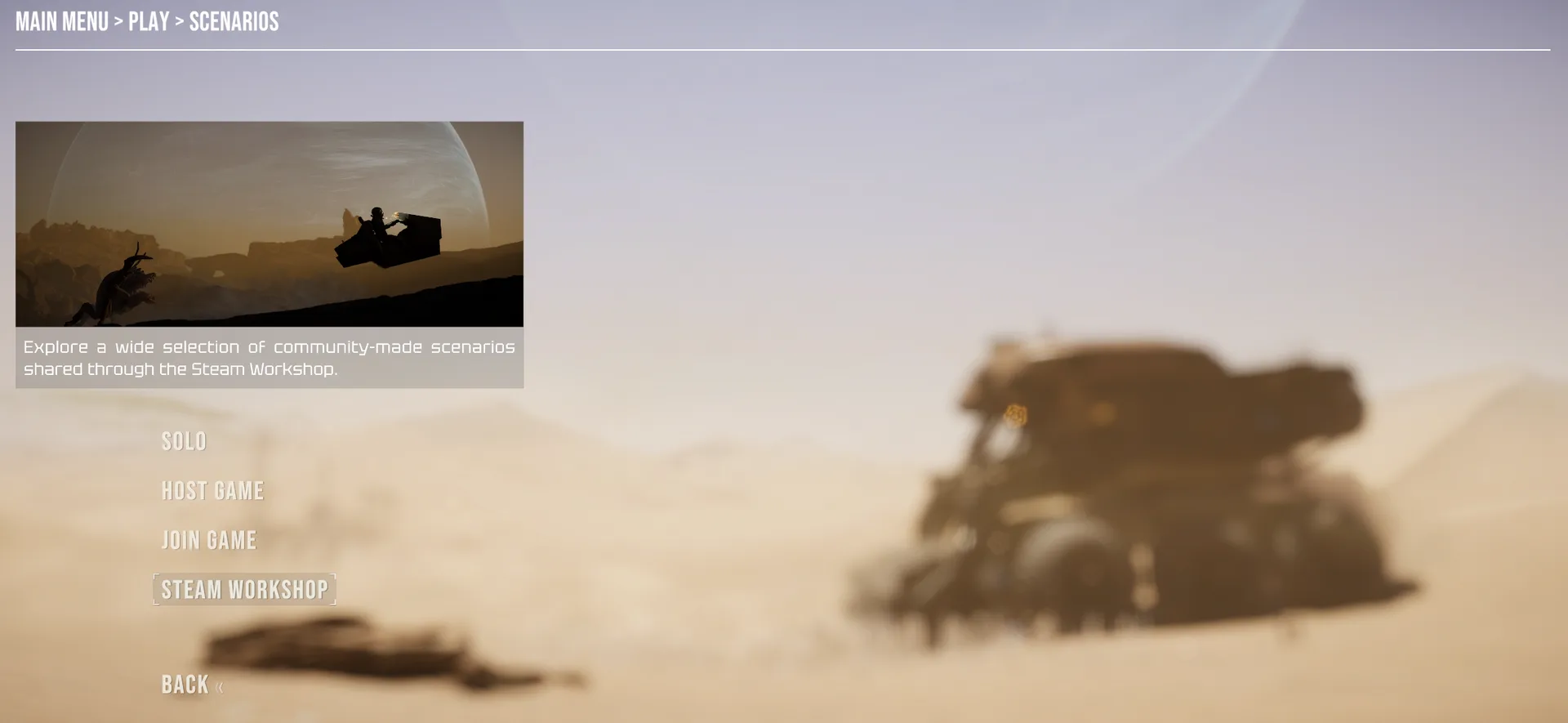
The sandbox editor gets better tools for placing, moving and scaling objects, and scenarios you build can now go on the Steam Workshop: "share your scenarios and download ones made by other players". In the studio's screenshot the Workshop sits under Play > Scenarios, next to Solo, Host Game and Join Game.
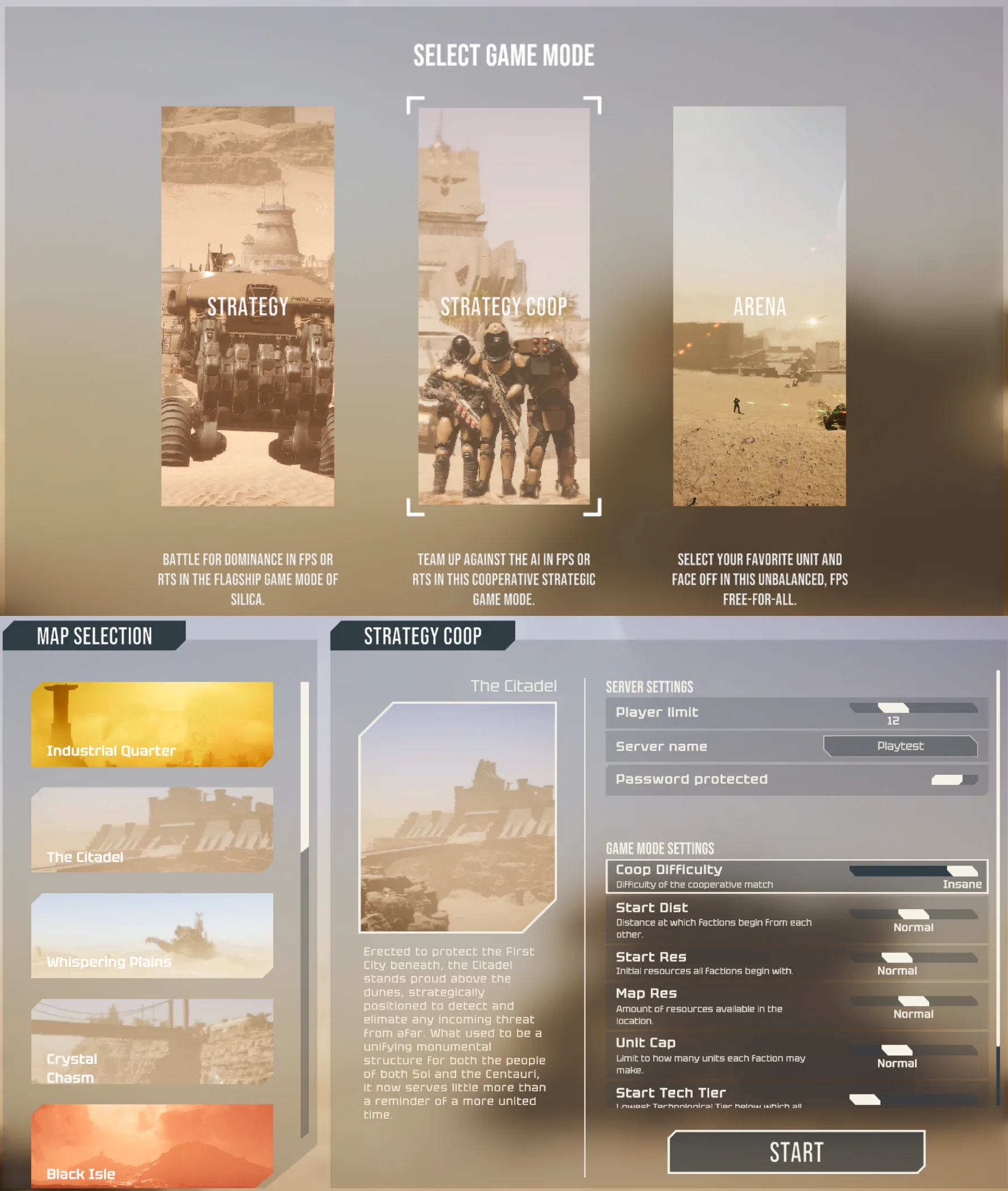
COOP Strategy
It isn't new in 1.0: it arrived in the 0.9.47 update on 10 September, marked "still work in progress", and 1.0 lists it "with difficulty settings". You and your friends take on AI commanders together, the host picks the difficulty, and Devblog #06 says player-controlled units are "a bit stronger and have a bit more health" in this mode.
Commanding, stability and fixes
- New orders: fire at a spot on the ground, and drive vehicles in reverse.
- Line formation, by dragging units into a line facing the way you choose.
- Double-click selects every unit of the same type on the map.
- Units spread their fire across enemies, and vehicles "no longer get stuck in each other".
- Bug fixes, including the commander getting stuck in a unit that was just destroyed and missions failing to load on some language settings.
1.0 also adds team-killer detection "to keep matches fair".
What your server needs to do
The only server line in the announcement is "Smoother online play: fewer disconnects and more reliable dedicated servers."
If your server is with LOW.MS and it isn't on the 1.0 build after release day, open a ticket and we'll update it. If you host it yourself:
- Back up the server folder, config files included, before the update.
- Update the dedicated server on 3 November, once the 1.0 build is live, so it matches the version your players are running.
- Restart and check the server list to confirm the server shows up and players can join.
The dedicated server is a separate Steam app, Silica Dedicated Server (App ID 2738040), and SteamCMD downloads it with an anonymous login:
steamcmd +force_install_dir ./silica-server +login anonymous +app_update 2738040 validate +quit
New servers are on the Silica server hosting page.
What's coming next
3 November: Silica leaves Early Access and 1.0 goes live. The announcement names no plans past launch.
FAQ
Does Silica 1.0 wipe dedicated servers? The studio hasn't announced a wipe, and the 1.0 post lists no port, config or save format change.
Do I need a dedicated server for 1 vs 1 matchmaking? No. Matchmaking finds a 1 vs 1 match without the server list. Community servers are still reached through the Server Browser.
Can a dedicated server load Steam Workshop scenarios? The announcement doesn't say. Workshop support is described for sandbox scenarios you play from the Scenarios menu.
What time does Silica 1.0 release on 3 November? The studio hasn't given a time yet. Check the game's Steam news on the day.
Does 1.0 add campaigns for Sol or the Aliens? The 1.0 campaign is for the Centauri. The announcement doesn't mention campaigns for the other factions, though the lead developer's note promises "free tickets to Centaurus and Earth".
Sources: Devblog #07, Full Release Date Announcement, Devblog #06, Team Up, Sell Up, Outsmart the AI, Cooperative Strategy Game Mode update (0.9.47)